Drop both your mixes
Before + after, at the same time. We'll sort them and start.
Free · private · no uploads · no AI

Rough in. Record out.Prove it.

Drop your rough and your finished mix. MIXProof lines them up to the sample, finds your best moments, and turns them into a before and after you can post: a vertical reel, a square post, a portfolio card or the audio.

1 Load
2 Listen
3 Share
The Mix Academy · Before / After Studio

The proof is
in the playback.

Drop your before and your after. MIXProof level-matches them so loudness can't fake the win, finds your strongest section, and builds a synced before/after you can share anywhere. Free.

Drop one at a time, or both mixes at once, anywhere on the page. It builds on its own. If the before and after land backwards, one tap swaps them.
Before
Drop the before
your rough mix
VS
After
Drop the after
your finished mix or master
No AI. No one else hears it.
Aligned, levels balanced, honest A/B

Building your before/after

Level-matching, aligning, and finding your strongest section. The honest way to A/B.

Your before/after

before.wav · after.wav · level-matched
What you are hearing, live
Stereo field
-1correlation+1
Before Play hears the rough melt into the mix. Tap Rough or Mix to stay on one side. BPM·
Section 1 · biggest momentDrag a moment to move it, its edges to trim, its line to set where the mix comes in
Moment 1
0:00 / 0:00
Match loudness off
Moments
Feel
Each moment plays the rough, then melts into the mix.

Export your proof

Pick a format, preview it with sound, then download it. Your name goes on every one.
Format
Length
On the clip
Your setup saves on this computer.
Drop the cover artit leads the thank-you frame
Drop your photo or logoa headshot, your studio, or your logo

Unlock your exports

Free. Add your email and every format is yours, plus the occasional bit of mixing gold from David. Unsubscribe anytime.

Your audio never leaves your computer: every export renders right here in your browser. By entering your email you're joining The Mix Academy's list for occasional mixing tips. Unsubscribe anytime.
Mixes on your studio computer?Send yourself this page and make your before and after there.
1Drop both mixesYour rough and your finished mix
2Hear the A/BAligned, levels balanced
3Download your proofVideo, card or audio, ready to post
No files handy? Hear what it makes
Private by design

Your mixes never leave your computer. Not to us. Not to anyone.

MIXProof runs entirely inside your web browser. Your files open on your machine, every number and every export is made on your machine, and nothing is sent anywhere. Unreleased songs and client work are safe here.

Nothing uploads

Your audio is never sent to us or to any server. It plays and renders right here, on your computer.

No AI

No AI listens to your music and nothing is trained on it. The alignment and the numbers are plain audio math, the same kind your meters do.

Nothing kept

We never store your files, because we never get them. Your own browser holds your session so a refresh doesn’t lose your work. Start over clears it.

Works offline

Don’t take our word for it. Once this page loads, turn off your Wi‑Fi and drop your mixes. It still works, start to finish.

The only things that ever reach us: the name and email you choose to give for your downloads, and anonymous counts of which buttons get clicked. Never your files, your song titles or your audio.

Example · a real record

Larry Hurston, “Stop By Here.” Mixed by David Glenn.

The rough before the mix, and the mix exactly as printed, locked together to the sample. The rough plays, then the mix lands on the downbeat: exactly how MIXProof builds yours. Try a shorter or longer moment, take the switch yourself, or tap anywhere on the song to hear it there.

Stop By Here
Larry Hurston  ·  Mixed by David Glenn
Four sections · rough, then mix, in each
RoughMix
Press play
Stereo field
-1correlation+1
RoughLUFS-S
--.-LUFS
MixLUFS-S
--.-LUFS
Metered live, both sides
SpaceplayBAbefore / after←→sectionsLmatch loudness
Sample-locked: both sides start on the same sample Both sides at the level they were printed, metered live to BS.1770 256 kbps from the 24-bit bounces, nothing hidden
Loudness, start to finish

Mixed to hit. Built to hold.

Loudness, the whole song
Short-term LUFS, both bounces as printed
The four sections you can play above
What the mix changed

Measured. Not described.

Every number here comes from the full-length 24-bit bounces, rough against mix. The tone chart is normalized for level, so it shows what changed in the balance, not just the volume. No presets, no adjectives, no guessing.

Tonal balance, mix minus rough
Whole song · level-normalized · 1/6-octave
More from The Mix Academy

The proof is free. Here's what gets you there.

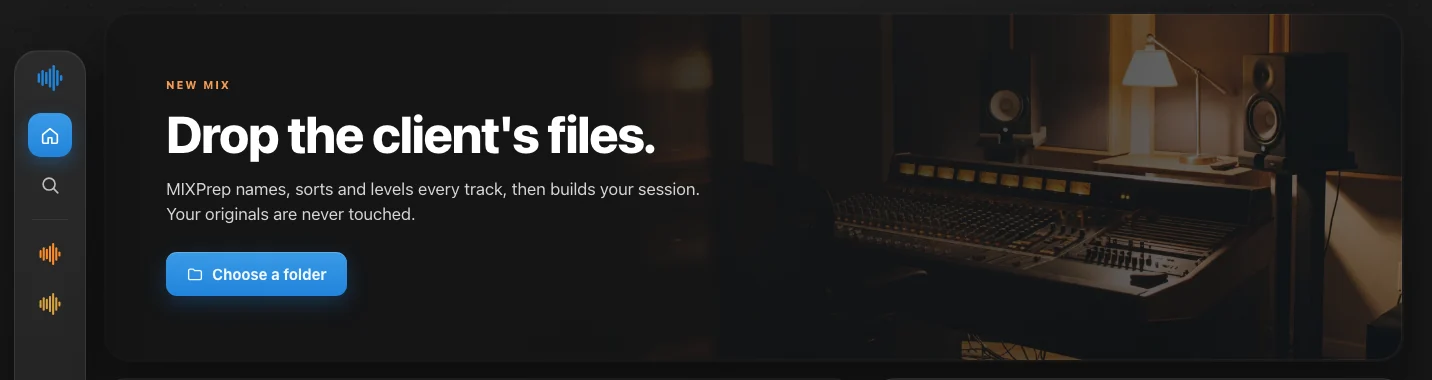
MIXPrep home screen: drop the client's files
Do it yourself

MIXPrep

The Mac app that gets a session ready to mix.

  • Naming, organization and gain, automatic
  • Done before you hear a note

Not for you if your problem is the mix itself. This fixes prep, not decisions.

Get MIXPrep
A Control Room session
Learn it

The Control Room

Everything I teach, plus MIXPrep.

  • Mix breakdowns and start to finish mixes
  • The courses, the whole archive, for life

Not for you if you want it done for you. This is the craft, and it takes work.

Step into the Control Room
David Glenn at the mix position
Mixed by David Glenn

Want this on your record?

The mix you just heard came off this desk. Not for you if the recording is not there yet. I will tell you straight.

Multi-platinum mix engineer8+ billion streams mixedMixed and mastered by me
Have me on it Single, EP or album.
Questions

Straight answers.

Is it really free?

Yes. No account, no trial, no card. You give a name and email when you download your proof, and your videos and cards carry a small “Made with MIXProof” credit.

Is my client’s unreleased song safe here?

Yes. Your files never leave your computer. MIXProof opens, measures and exports them inside your browser, and nothing is uploaded. How it works

Is this AI?

No. Nothing listens to your music but you. Lining the mixes up, picking the moments and the numbers are all plain audio math running on your computer, and nothing is trained on your songs.

What files can I use?

WAV, AIFF, MP3 or FLAC, straight out of your session. If one bounce starts a little earlier than the other, MIXProof finds the offset and lines them up to the sample.

Does it change my mix?

No. Your mix plays and exports exactly as you printed it: no limiter, no EQ, no loudness tricks. Match loudness only turns the mix down while you listen, so you can judge it fairly.

Does it work on my phone or iPad?

Yes. The example plays anywhere, and the whole tool works on iPhone and iPad when your mixes are on it. If they live on your studio computer, tap Send to my computer and pick it up there.

What happens to my email?

You join The Mix Academy list for occasional mixing tips. Unsubscribe anytime.